Twitter is a plethora of live streaming data, more so when utilizing NLP to gain sentiment. Being able to draw on this resource and enrich models with live sentiment analysis is invaluable, especially when considering how influential people’s opinions and new information matters.
First off, you have to sign in to Twitter to get a dev account where you can build your “app.” This doesn’t have to be something that gets rolled out publicly, but it is simply a medium for you to utilize their API.
After setting up your account, you need to initialize the app, and there will be a set of 4 unique keys that keep access restricted. These should be stored in an external file and imported, otherwise you’re work could be compromised or stolen.

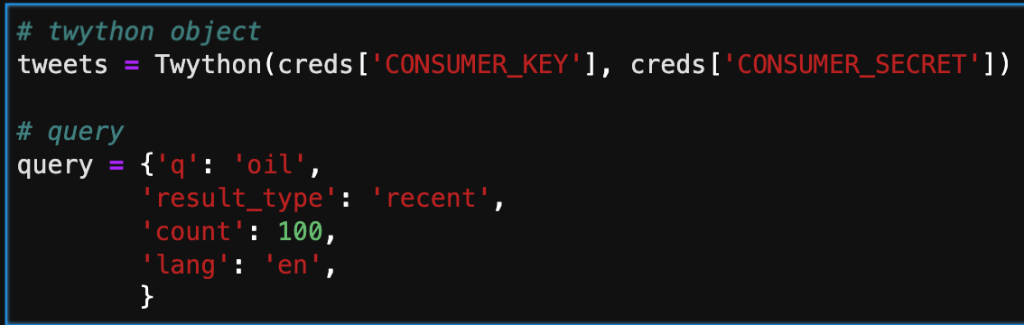
Below, I’m inputing the keys and starting a simple query. There are an assortment of different keys you can pass through to the query. Probably the most important one is ‘q.’ This is where you select your keywords, and filter results. ‘Result_type’ is another important key, that enables the user to pre-filter based on time or popularity.
The next step in the process is adding the results of the query by calling the search method. Note that depending on the number assigned to count in the query, there will be that number of dictionaries in the list. Below, is only a part of one tweet. We will need create a subset for what data we actually want to keep.

In the cell below, I am iterating through the search and only taking the user, date, text, and number of favorites. This is more manageable and will give us a clean dataframe to interpret.

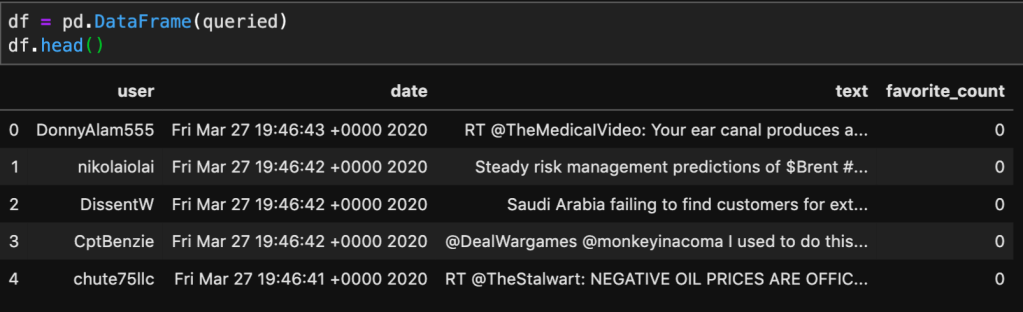
Below, I’m taking the queried dictionary and converting it to a Pandas dataframe. This will allow me to now apply NLP to the text column, and hopefully cluster it based on likeness.
This was a simple introduction into how to access information from Twitter. I’ll be working on applying natural language tool kit (NLTK) on this data source, to vectorize and cluster tweets with comparable meaning and sentiment.
 Will's Blog